Skip to content

How it works

You open a file, agents work on it, a human signs off.

Agents draft, suggest and comment. People accept, reject and approve. Every save becomes an attributed version you can restore.

Who is in the workspace

Five people open the same document. They need five different things from it.

Each gets exactly the actions their job needs, and no more — a reviewer never has to learn an editor, and no agent can sign off on its own work.
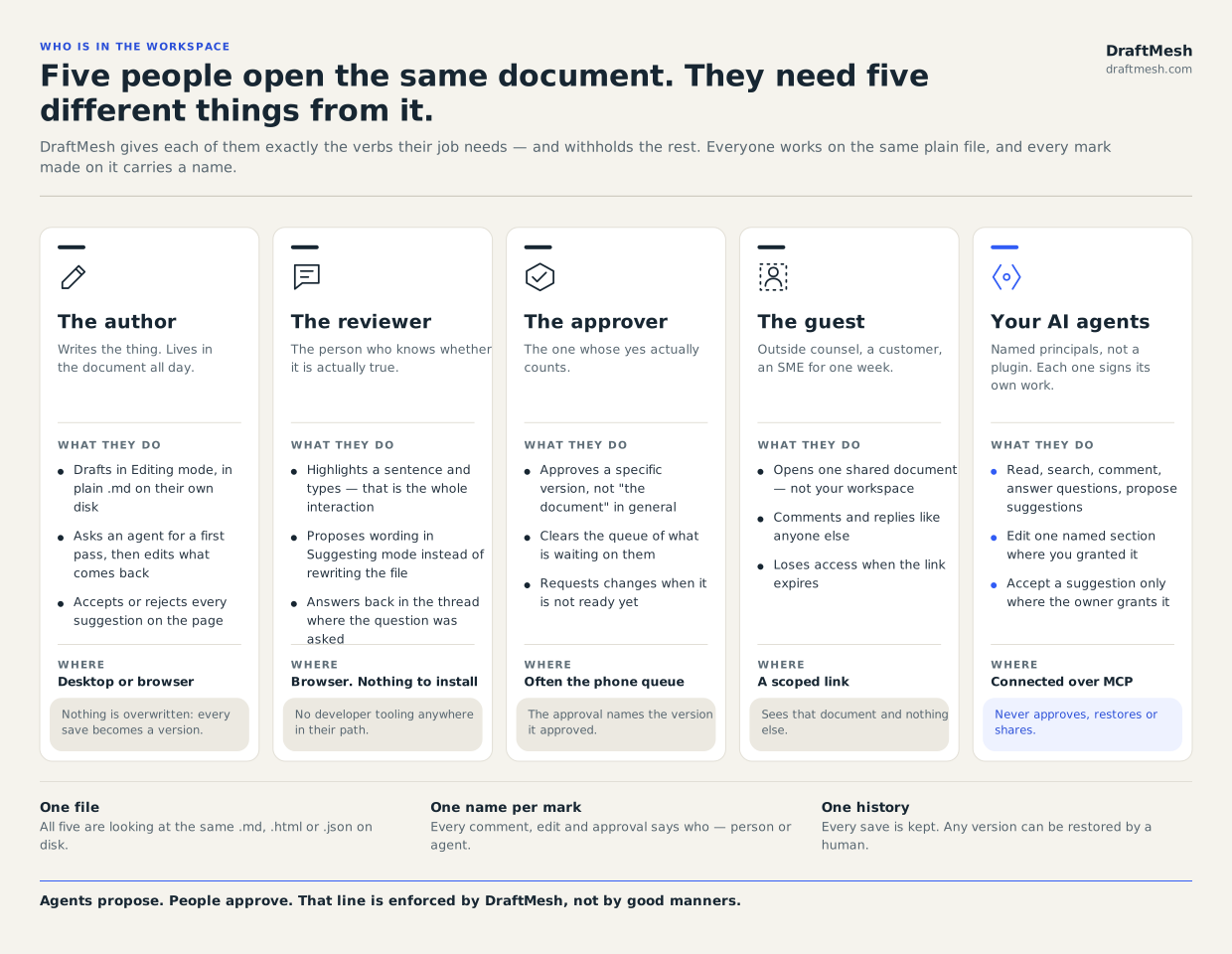
Five columns describing who shares a DraftMesh document. The author drafts in plain markdown and accepts or rejects suggestions. The reviewer highlights a sentence and types. The approver approves a specific version, often from the phone queue. The guest opens one shared document on a scoped link. AI agents connect over MCP to read, comment and propose; they accept a suggestion only where that document’s owner granted it, and can never approve, restore or share.
Everyone works on the same plain file, and every mark made on it carries a name.

01

The author

Writes the thing. Drafts in plain .md on their own disk, hands a first pass to an agent, and accepts or rejects every suggestion that comes back.

02

The reviewer

Knows whether it is actually true. Highlights the sentence they doubt and types — no install, no account, nothing borrowed from developer tooling.

03

The approver

The one whose yes counts. Approves a specific version rather than "the document", usually by clearing a queue on their phone.

04

The guest

Outside counsel, a customer, an SME for one week. Opens one shared document — not your workspace — and loses access when the link expires.

05

Your AI agents

Named principals, not a plugin. Each reads, searches, comments and proposes under its own name. A document’s owner can delegate accepting suggestions on that one document; approving, restoring and sharing never move.

One document, end to end

From a file on your disk to a version somebody signed off on.

Five steps, no hand-off into another tool — it all happens on the one file.
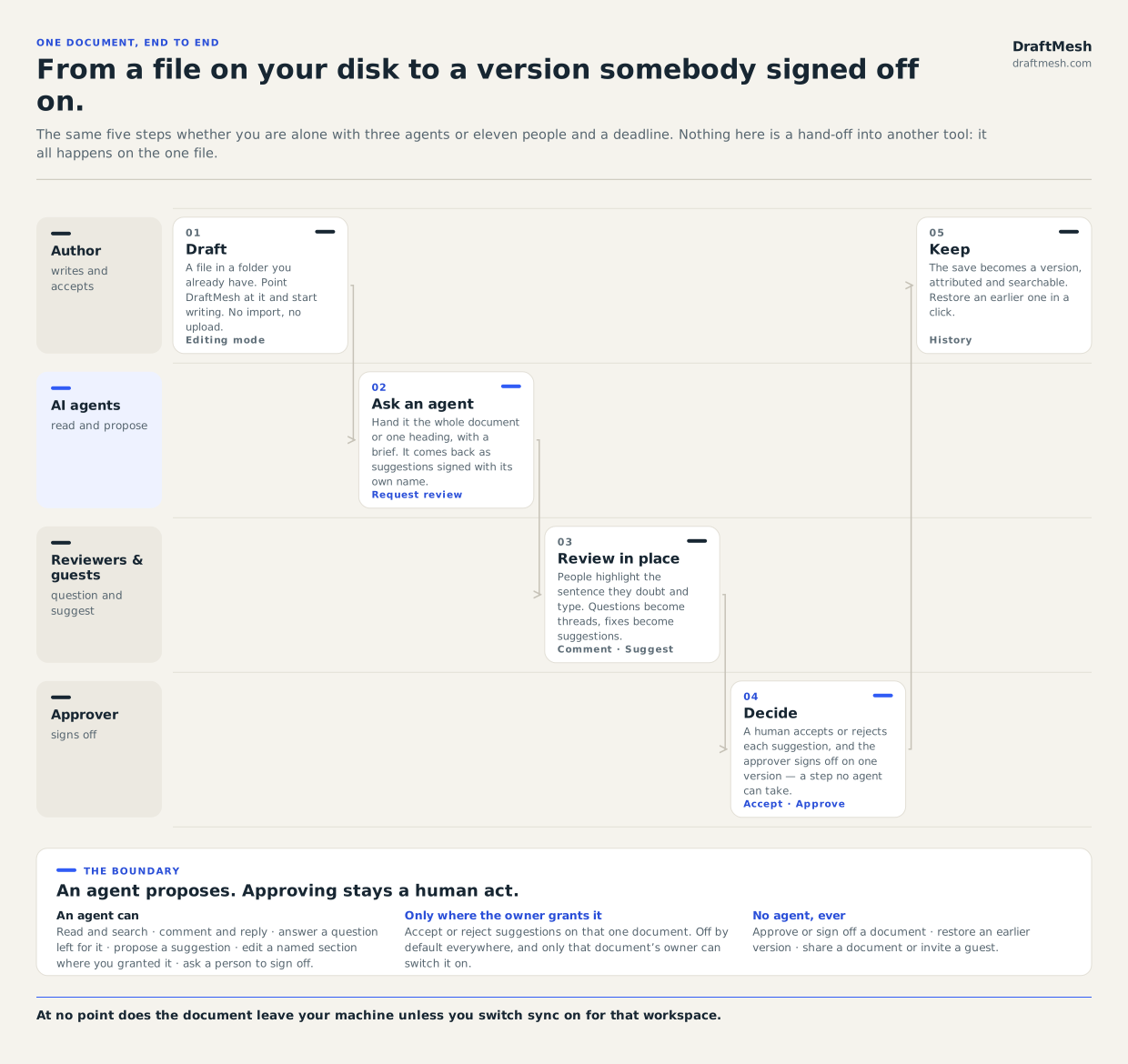
A five-step flow across four swimlanes — author, AI agents, reviewers and guests, and approver. Step one, draft the file in place. Step two, ask an agent, which returns suggestions signed with its own name. Step three, reviewers and guests question and suggest on the rendered text. Step four, a human accepts or rejects and the approver signs off on one version. Step five, the save is kept as a restorable version. Accepting suggestions can be delegated by a document’s owner; approving, restoring and sharing are always human acts.
At no point does the document leave your machine unless you switch sync on for that workspace.
  1. 01

    Draft

    A file in a folder you already have. Point DraftMesh at it and start writing — no import step and no upload.
  2. 02

    Ask an agent

    Hand a connected agent the whole document or one heading, with a brief. It comes back as suggestions and comments signed with its own name.
  3. 03

    Review in place

    People highlight the sentence they doubt and type. Questions become threads on the rendered text; better wording becomes a tracked suggestion.
  4. 04

    Decide

    A human accepts or rejects each suggestion, and the approver signs off on one specific version — a step no agent can take, however much it has been granted.
  5. 05

    Keep

    The save becomes a version, attributed and searchable. Restore an earlier one in a click if the answer changes later.

The boundary

An agent proposes. Approving stays a human act.

DraftMesh enforces this rule itself, rather than trusting an assistant's good manners.
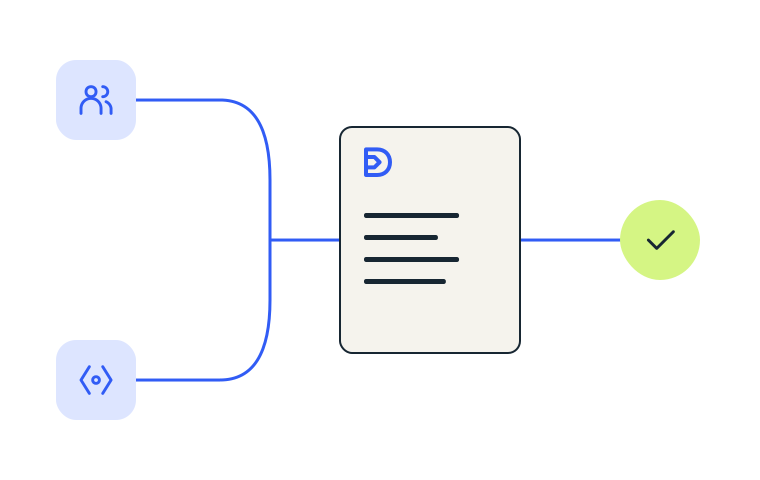
A person and an AI agent, each connected by a line to the same draft document, which flows on to a check mark.

An agent can

Read and search · comment and reply · answer a question left for it · propose a suggestion · edit a named section where you granted it · ask a person to sign off.

Only where the owner grants it

Accept or reject suggestions on that one document. Off by default everywhere, it rides only on an edit grant, and only that document's owner — not an editor, not an admin — can switch it on.

No agent, ever

Approve or sign off a document · restore an earlier version · share a document or invite a guest.

Use them

Both diagrams are yours to reuse.

Plain SVG, so they stay sharp in a deck, a print-out, or your own onboarding docs. Same two files the in-app user guide uses.

Good work. Woven together.

The local app is free forever — no account, no upload, no card. Your markdown never leaves your machine.

Free forever, local, no account