Data-driven pages
Build a live dashboard from an HTML document that reads JSON files in the same workspace, using the window.draftmesh bridge. Complete worked example.
An HTML document can read JSON files from its own workspace and refresh itself when the data changes. That turns a workspace into a small live dashboard: the numbers live in a .json file anyone (or any agent) can update, and the .html page presents them.
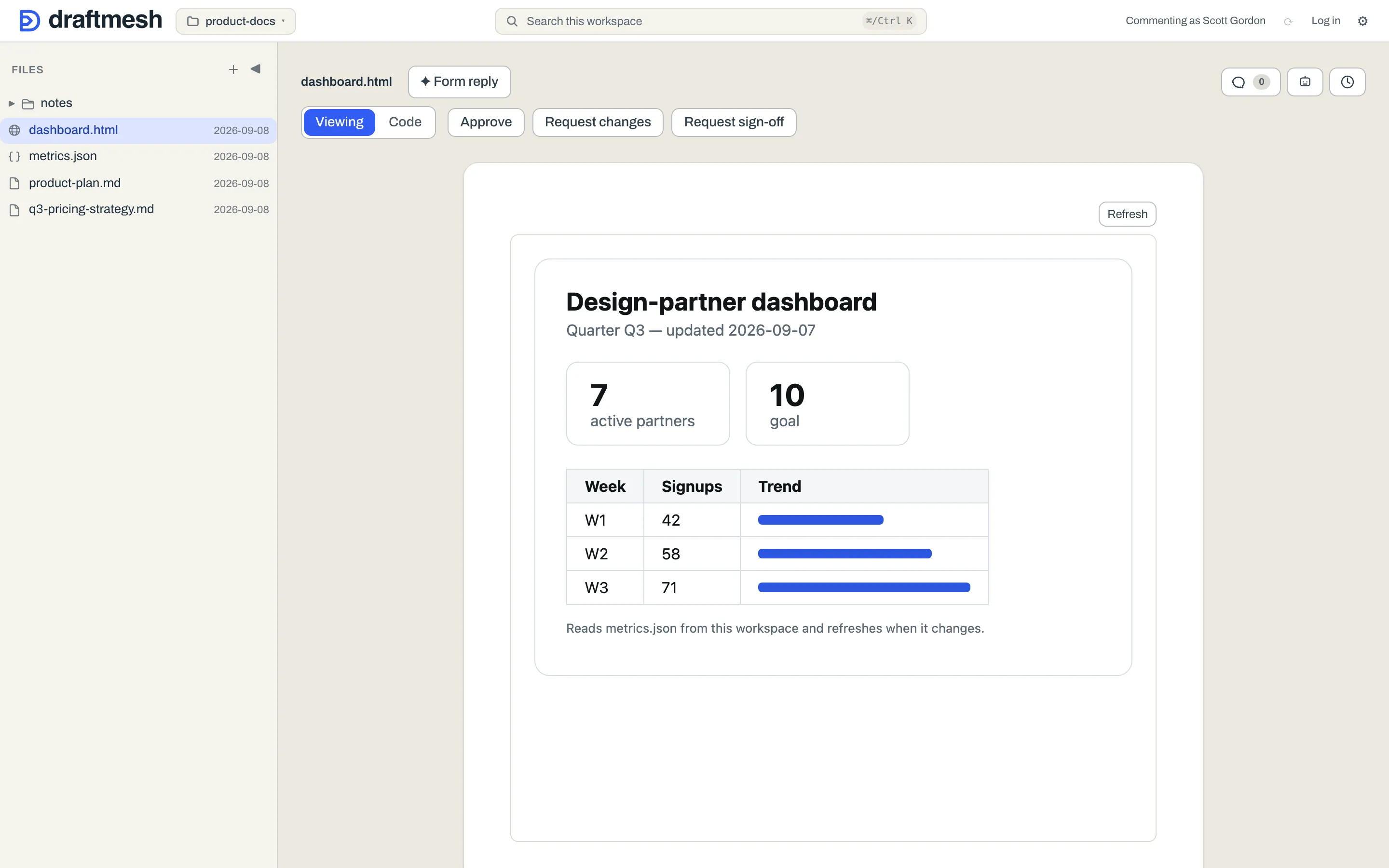
How a page reads data
Inside a DraftMesh-rendered HTML document, a window.draftmesh bridge is available:
window.draftmesh.readJson(path)— returns a Promise of the parsed contents of a JSON file in the same workspace (the path is relative to the workspace root, e.g."metrics.json"or"data/sales.json").window.draftmesh.writeJson(path, data)— asks to savedataback to a JSON file in the same workspace. You decide: DraftMesh shows a confirmation naming the file and previewing exactly what would be written, and nothing is saved unless you approve it. See Saving data from a page below.window.draftmesh.onDataChange(path, callback)— calls your callback whenever that file changes, so the page can re-read and re-render. No polling needed. Omit the path (onDataChange(callback)) to hear about every data file in the workspace; the callback is handed the path that changed. It returns a function that unsubscribes.
Pages can only touch .json files from their own workspace — the bridge is not a general file or network API.
A complete example
Create metrics.json:
{
  "quarter": "Q3",
  "signups": [
    { "week": "W1", "count": 42 },
    { "week": "W2", "count": 58 }
  ]
}
And dashboard.html:
<!doctype html>
<html>
<head><meta charset="utf-8"><title>Signups</title></head>
<body>
<h1>Signups</h1>
<div id="out">Loading…</div>
<script>
  function render(data) {
    document.getElementById("out").textContent =
      data.quarter + ": " +
      data.signups.map(function (s) { return s.week + "=" + s.count; }).join(", ");
  }
  function load() {
    window.draftmesh.readJson("metrics.json").then(render);
    window.draftmesh.onDataChange("metrics.json", function () {
      window.draftmesh.readJson("metrics.json").then(render);
    });
  }
  if (window.draftmesh) { load(); } else { window.addEventListener("draftmesh-ready", load); }
</script>
</body>
</html>
The last line is the recommended startup pattern: use the bridge if it’s already there, otherwise wait for the draftmesh-ready event.
If a read fails, the Promise rejects with a reason you can show honestly: not_found (no such file), invalid_json (the file doesn’t parse), or unsupported_path (not a .json file in this workspace).
Saving data from a page
An interactive page — a cost model with editable inputs, a planning board — can offer a real Save button:
saveButton.onclick = function () {
  window.draftmesh.writeJson("metrics.json", currentState).then(
    function () { statusEl.textContent = "Saved."; },
    function (err) {
      statusEl.textContent = err.message === "denied" ? "Not saved." : "Couldn't save (" + err.message + ").";
    }
  );
};
Calling writeJson never writes anything by itself — it asks. DraftMesh (not the page) shows a confirmation dialog naming the target file with a preview of the exact JSON that would be written; the save only happens when you approve it, and it lands as a normal versioned change attributed to you, so history and rollback apply. Every open page watching that file then refreshes through onDataChange as usual.
Details worth knowing:
- The target file must already exist — pages can update data stores, not create files (
not_foundotherwise). - Declining the dialog rejects the Promise with
denied; treat it as a normal answer, not an error. - If the file changed between the preview and your approval, the save is refused with
conflict— re-read and ask again. - One ask at a time per page (
busy), values must serialize to JSON (invalid_data), and very large payloads are refused (too_large). - The bridge works in the full DraftMesh app. On the phone reader, pages render but the bridge doesn’t answer yet — a
readJsonorwriteJsonPromise there never settles, so don’t leave your page’s UI waiting on one without a visible idle state.
Updating the data
Anything that changes the JSON file updates every open page watching it:
- In DraftMesh — open the
.jsonfile in Code mode and edit it. Saves are validated, so you can’t ship a syntax error to your dashboards. - Any other tool — the file is just a file. Edit it in your code editor, write it from a script or a scheduled job; DraftMesh notices the change on disk, versions it, and notifies open pages.
- An AI assistant — a connected agent can update the file with its document-saving tool, with the same validation and the change attributed to the agent in history. See AI assistants (MCP).
Every update lands in version history, so a bad number can always be traced and rolled back.